Your goalkeeper knows where number 7 shoots.
Scout a match of your next opponent, shot by shot: who shoots, from where, with which run-up, where in the goal. SportsFlow turns that into a profile per shooter — ready before throw-off.
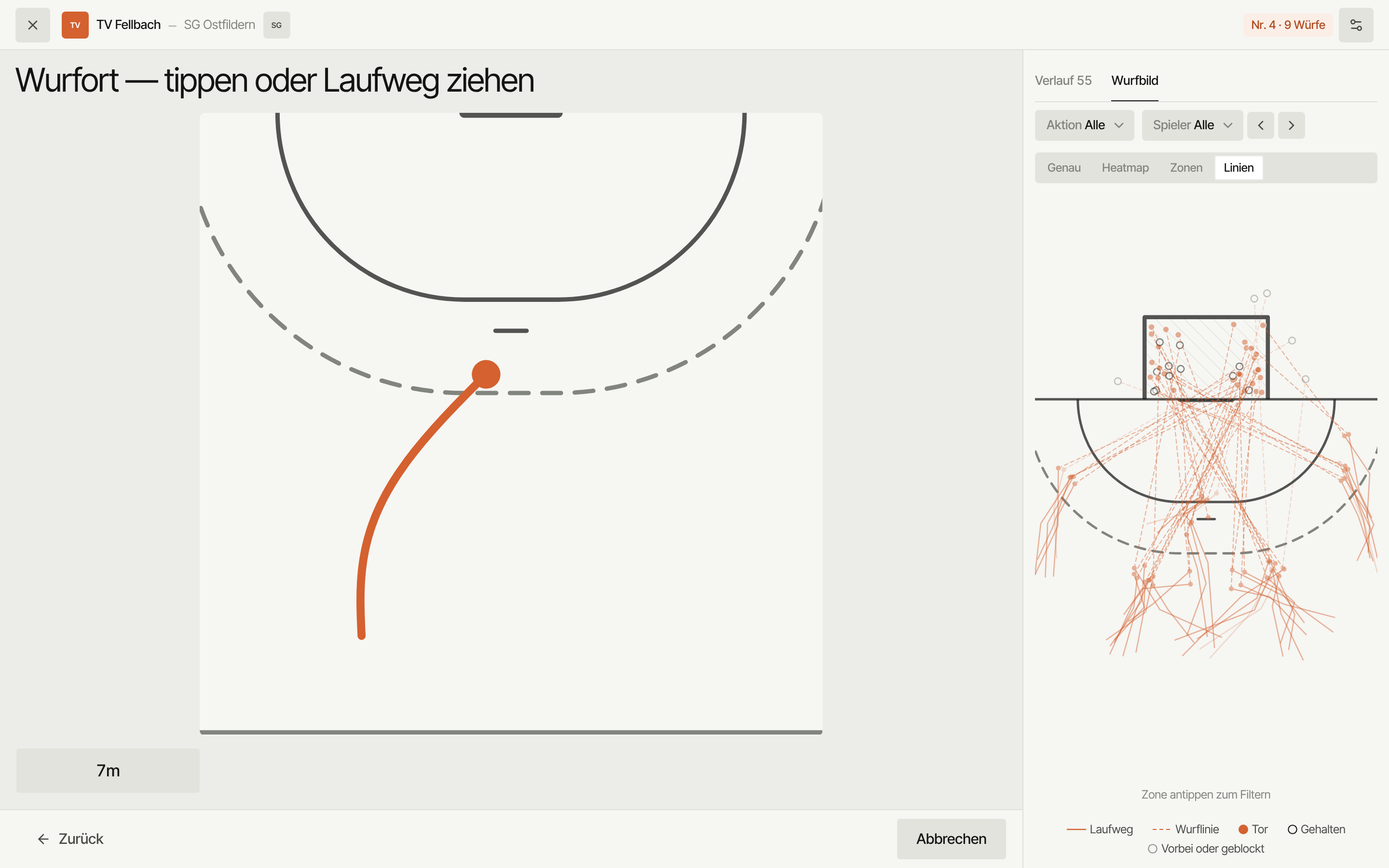
Four steps per shot. Tap or drag.
This is the real scouting flow, just without an account. A tap on the court sets the shot location, a drag with your finger draws the run path. The profile on the right grows with every shot.
Who shoots?
Tap the shooter's jersey number.
One shot, four questions.
No roster admin, no clock, no score — just the shots of the team you're watching.
Who shoots?
Tap the jersey number. An unknown number is created on the spot — the roster grows during the match.
Shot location: tap or drag a run path
A tap sets the shot location. A drag with your finger draws the run-up, the last point is the shot location. For 7-metre throws the 7m button is enough.
Goal, no goal, blocked
Three tiles, no more. Whether a "no goal" was saved or went wide is decided by the goal point in the next step. "Blocked" saves right away.
How and where
Shot type and trajectory are pre-filled and only toggled. Then tap the exact point in the goal — that saves the shot and takes you back to "Who shoots?".
Colour is the team. Shape is the outcome.
Every shot is a line: solid for the run path, dashed for the throw to where it hit the goal. Opponent shots are always orange. The end point tells you the outcome: filled means goal, outline means saved, faded means wide or blocked. You read both teams in one chart, even without colour vision.
- Goal
- Saved
- Wide or blocked
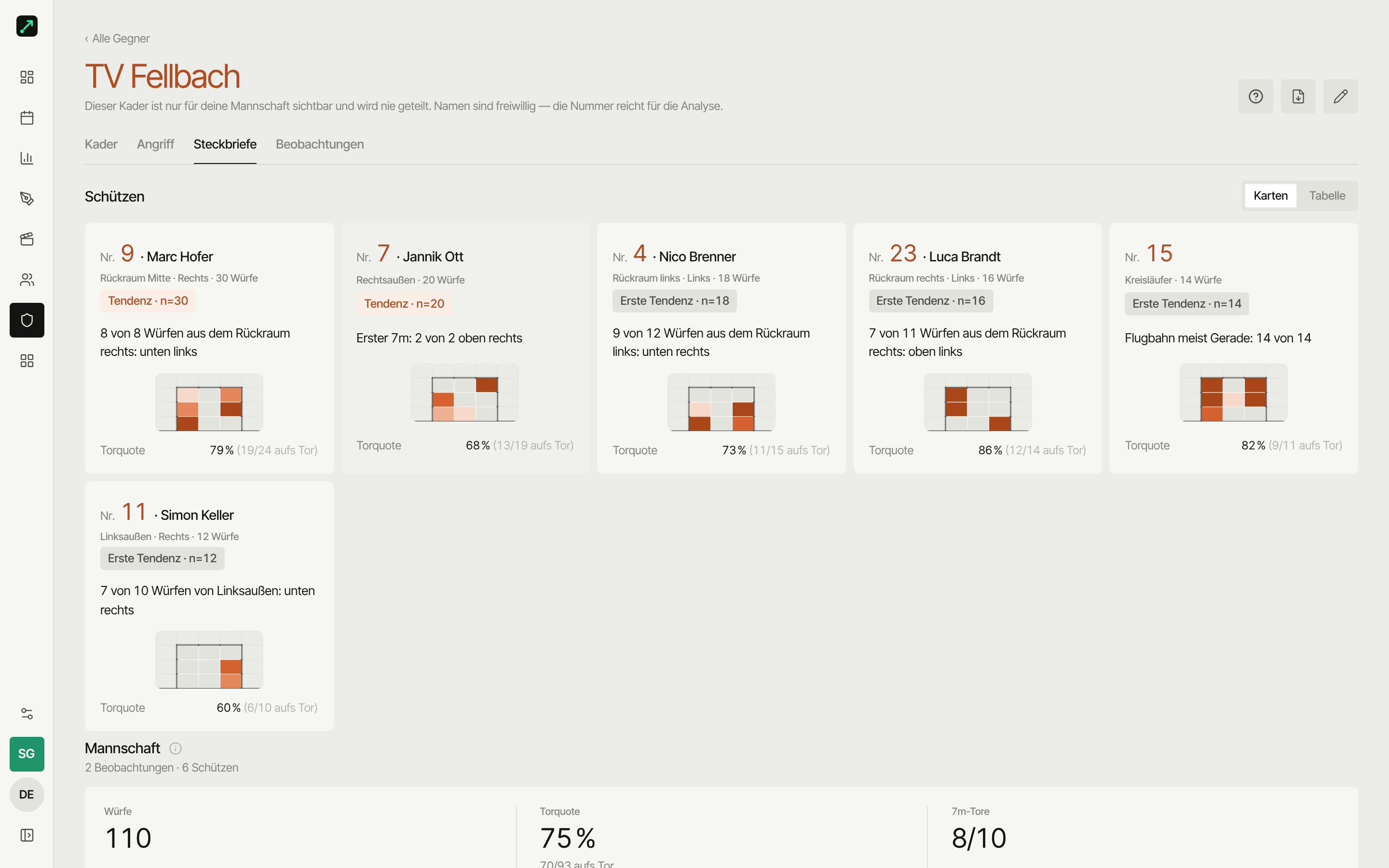
A profile per shooter, a table per opponent.
The shots turn into the picture your goalkeeper needs before the match — no extra work.
Shot chart: run paths or zones
Every drawn line sits in the shot chart, every shot without a run path as a dot. A switch flips to the zone view with the conversion rate per court zone.
Goal chart & favourite corner
Where does the ball go? The goal chart shows the spread in the goal, plus shot type, trajectory and the 7-metre corner.
Sample-size badge
Under 5 shots reads "too few", from 20 "trend" — so nobody turns three shots into a rule. The team view puts all shooters side by side.
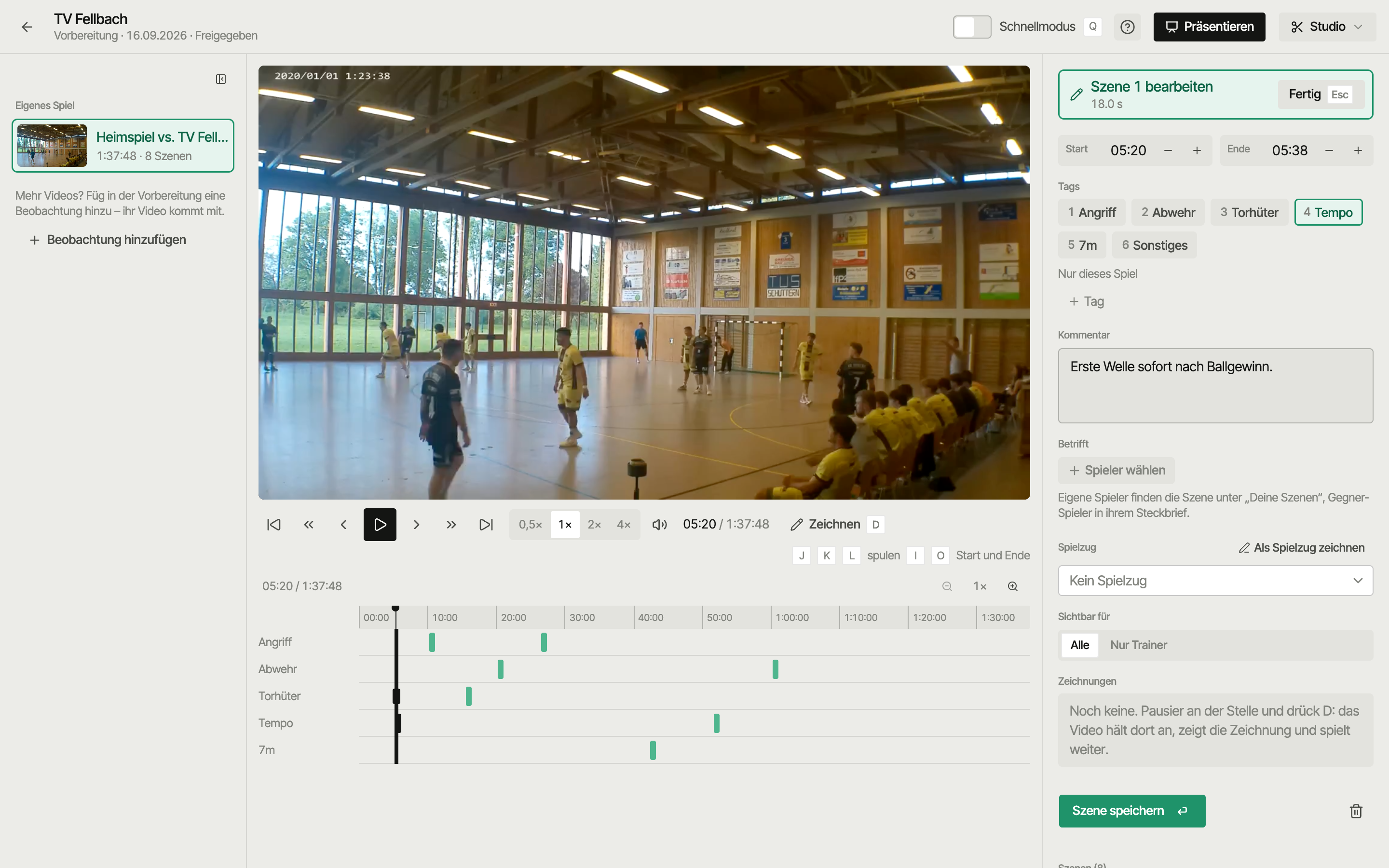
Shots become scenes.
If there is a video of the scouted match, it plays right next to your input. In the video studio you cut scenes from it and mark the shooter under “Involved”, and your goalkeeper finds them in the profile under “Scenes for no. 7”. Players never see the raw scouting video, only the scenes you share.
In the stands, without signal.
Offline queue
No reception in the hall? Shots go into the queue and are sent as soon as the network is back.
iOS & Android, same handling
Scouting runs on phone and tablet in the app — the same four steps, the same tiles.
No clock, no score
Scouting needs no roster of your own, no game clock and no score. Just the shots of the team you're watching.
Paper, Excel, SportsFlow.
Common questions about scouting
Do I need the opponents' names?
No. Scouting works with jersey numbers. A new number is created with the first shot, names can be added later in the opponent roster.
What happens with a shot without a run path?
A tap on the court sets only the shot location. In the shot chart it shows as a dot instead of a line — every shot is in the picture, lines only where you dragged.
Why is there no "saved" button?
Because the goal point already says it: a "no goal" with a point inside the frame was saved, a point outside went wide. One question less per shot.
Can I scout on phone and tablet?
Yes. Scouting is in the web app and in the iOS and Android app, offline-safe. On a tablet the tiles are big enough for the stands.
Your sideline, digital.
Get started with nothing to lose: Starter is free, and your first match is set up in five minutes.